
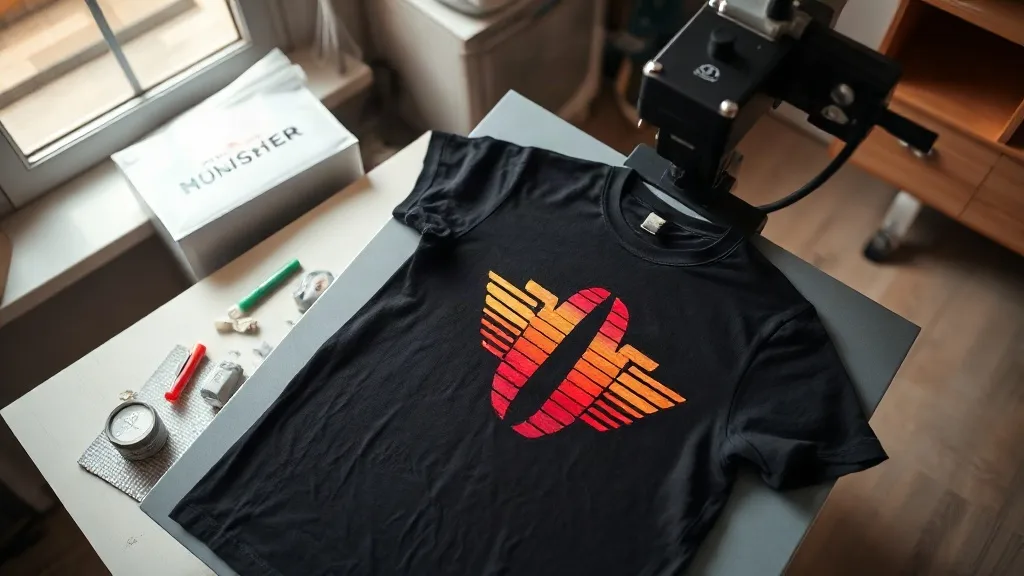
Anyone who has spent years in screen printing knows the quiet dread of a customer walking in with a twelve-color design and a modest budget. Screens, setups, and color separations turn that job into a small accounting puzzle. That is exactly the corner where dtf transfers changed the conversation for print shops. A single film carries the full image, colors and all, and the press does the rest. No screens, no color mixing, no registration headaches. But getting a genuinely clean result from a complex design takes more than dropping a file and pressing it. The details matter, and this guide walks through the ones that separate a print that lasts from one that peels in the wash.
Why Multi-Color Artwork Sits Naturally on DTF
The core appeal of dtf printing is that color separation disappears from your workflow. A digital printer lays down every hue in the file onto a coated film, then a hot-melt adhesive powder bonds the ink into a flexible layer. When you press that film onto fabric, the entire design transfers at once. A gradient skyline, a photo-real portrait, a logo with twenty spot colors: all of it moves in a single pass.
That is a real operational shift. Screen printers who add dtf capacity often find that the jobs they used to quote cautiously, the ones with subtle gradients and photographic elements, become routine. There is no setup cost that scales with color count, so a five-color logo and a fifty-color illustration cost the same to produce. For shops handling mixed orders, that predictability matters when you are building a quote.
What DTF does not do is forgive a sloppy file. The process reproduces what you feed it, including the flaws. A poorly prepared design with muddy blacks or stray pixels will print exactly that way, and no amount of pressing skill will rescue it.
Preparing Files That Print Clean
Resolution and Transparency
Aim for 300 DPI at the final print size, not at the size the design was drawn. A logo that looks crisp on a 4-inch mockup may soften noticeably when scaled to 12 inches. Check the actual pixel dimensions before you send anything to production. For transparency, use a clean alpha channel so the film border matches the shape of the artwork. Fringed or semi-transparent edges are one of the most common causes of a visible halo around a finished print.
Color Mode and Profiles
Set up files in RGB, not CMYK, when working with dtf transfers. The printers are driven by RGB workflows, and converting from CMYK typically dulls saturated colors. Bright oranges, deep purples, and vivid greens lose energy through an unnecessary conversion. If your client supplies CMYK artwork, convert it carefully and preview the result before production.
Contrast and Fine Detail
Very thin lines, below roughly one point at print size, can break up during powder application and pressing. If a design depends on hairline strokes, thicken them slightly or test a small sample first. Similarly, watch the contrast in dark areas. Two shades of near-black may read as one flat mass on fabric. Adjusting levels so the distinction is clear will keep the design legible.
The Powder Step and Why It Decides Durability
After printing, adhesive powder is applied to the wet ink and shaken off. The goal is an even, light coat that sticks to the ink without clumping. Too much powder and the print feels stiff and can leave a chalky residue around the edges. Too little and the transfer will not bond properly to the fabric, which shows up later as cracking or premature peeling.
Humidity is the quiet saboteur here. In a damp room, powder clumps and adheres unevenly. A small dehumidifier near the powder station, plus a covered container, solves most of the problem. Curing the powder properly is equally important. Under-cured powder looks fine on the film but fails in the wash, and the failure often appears weeks after delivery, which is the worst time to discover it.
Pressing Complex Designs Without Losing Detail
Press settings vary by fabric and film, but a few principles hold across most jobs. Pre-press the garment for a few seconds to remove moisture, which otherwise turns to steam and interferes with adhesion. Then press the transfer with firm, even pressure. Medium to heavy pressure is typical, and the temperature usually lands somewhere between 150 and 160 degrees Celsius depending on the film manufacturer's guidance.
Peel temperature depends on the film. Some peel hot, some cold, and some warm. Follow the supplier's instruction rather than habit, because a hot peel on a cold-peel film can distort fine detail. After peeling, a short second press through a cover sheet or parchment protects the print and improves wash durability. This second press is easy to skip on a busy day, and it is one of the cheapest quality upgrades available.
Fabric Choices That Flatter Bold Prints
DTF adheres to a wide range of materials, including cotton, polyester, blends, and even some canvas and nylon. That flexibility is a genuine advantage, but results still differ. On 100% cotton, the print sits cleanly on the surface. On polyester, particularly dark or heavily dyed fabric, heat can cause dye migration, where the garment's color bleeds up through the print over time. A lower press temperature and a shorter dwell help, and testing a sample from the actual garment batch is worth the few minutes it costs.
Textured fabrics such as ribbed knits or coarse canvas can show the weave through a print. For designs with fine detail, a smoother surface gives a sharper result. For large, bold graphics, texture is less of an issue and can even add character.
Sourcing Prints Without Guesswork
Plenty of shops outsource their film production rather than running an in-house printer, and that is a sensible choice for lower volume or for testing demand before investing. When you search for dtf transfers near me, look past the first result. Ask about turnaround time, minimum order quantities, and whether they will run a sample of your actual file before a full run. A supplier who offers a test print is usually one who understands that color accuracy is not a given.
Also ask how they handle gang sheets. If you are ordering several small designs, combining them onto one sheet reduces cost per unit. A good supplier will help you lay out a sheet efficiently rather than charging you for empty film.
Common Problems and Quick Fixes
- Print feels stiff or plastic-like: usually too much powder. Shake off more aggressively and check that the powder station is dry.
- Edges lift after washing: often under-pressed or under-cured. Increase pressure slightly and confirm the second press is happening.
- Color looks dull on the shirt: check the file color mode and whether the garment is causing dye migration.
- Fine lines disappear: the lines are too thin for the process. Thicken them or test a sample at final size.
- Visible halo around the design: transparency issue in the file. Clean up the alpha channel before printing.
Frequently Asked Questions
Can DTF transfers print white on dark shirts?
Yes, and this is one of the format's strengths. A white ink layer sits beneath the color inks, so designs with white elements or light colors print opaquely on black and navy garments. This is a major reason DTF handles complex artwork on dark fabric so well.
How many colors can a single DTF transfer hold?
There is no fixed color limit in the way screen printing has one. The printer reproduces the full color range of the file, so gradients, photographs, and detailed illustrations all transfer in one pass. The practical limits are file quality and print resolution, not color count.
How long do DTF prints last after washing?
With proper powder application, correct press settings, and a second press, prints commonly hold up through many wash cycles. Longevity depends heavily on fabric type, wash temperature, and whether garments are turned inside out. Following the care label and avoiding high heat in the dryer extends life noticeably.
Do I need a special press for DTF transfers?
A standard heat press with adjustable temperature and pressure works for most films. The key is even pressure across the platen and accurate temperature control. Clamshell and swing-away presses both work, though a swing-away gives more consistent pressure on thicker garments.
Is DTF suitable for small runs and one-off orders?
It is one of the better options for short runs. Because there is no setup cost tied to color count, a single shirt with a detailed design costs roughly the same per unit as a run of twenty. That makes it practical for samples, custom orders, and small-batch product lines.
Multi-color work is where dtf transfers earn their place in a shop. The process rewards careful file prep, disciplined powder handling, and a press routine you actually follow every time. Get those three habits right, and the designs that used to make you wince become the easy jobs on the schedule.