
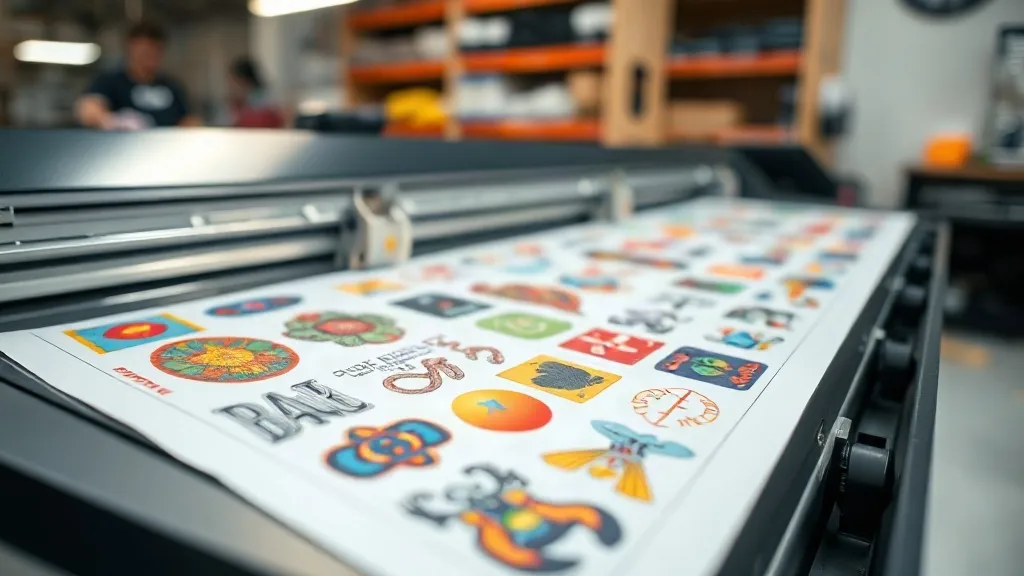
If you've been in the custom apparel game for any length of time, you've probably heard about DTF Gangsheet transfers. But what exactly are they, and why are they taking the printing world by storm? In simple terms, a gangsheet is a single sheet of transfer film that holds multiple designs, allowing you to print many jobs at once. This seemingly small shift in workflow can have a massive impact on your bottom line, especially for small businesses and hobbyists who need to maximize efficiency. Whether you're running a side hustle from your garage or managing a busy print shop, understanding gangsheets is key to staying competitive.
What Is a DTF Gangsheet?
A DTF (Direct-to-Film) gangsheet is essentially a large sheet of PET film that contains multiple printed designs. Instead of printing each design individually, you arrange several designs onto one sheet, send it to your DTF printer, and then cut them out after transfer. This method is incredibly efficient because it reduces waste, saves time, and lowers production costs. Think of it as batch printing for heat transfers. The term "gang" comes from the idea of grouping items together, and that's exactly what you're doing: ganging up multiple jobs to run as one.
The process involves printing your designs onto a special film using DTF inks, applying a powder adhesive, and then curing the sheet. Once cured, you can cut out each design and heat press it onto garments. The beauty of gangsheets is their versatility: you can mix different sizes, colors, and even different fabrics in one sheet, as long as they fit within the printable area.
Why Use a DTF Gangsheet?
You might be wondering, why not just print each design separately? The answer lies in efficiency and cost. Let's break down the main benefits:
- Time Savings: Printing multiple designs at once drastically reduces the time spent loading film, setting up print jobs, and curing. Instead of ten separate print runs, you do one.
- Cost Efficiency: DTF film and ink can be expensive, but by maximizing the use of each sheet, you minimize waste. You're using every inch of the film, which lowers your cost per transfer.
- Consistency: When you print a gangsheet, all designs go through the same printer settings and curing process, ensuring consistent quality across the board.
- Scalability: Need to fulfill a large order quickly? Gangsheets allow you to produce hundreds of transfers in a fraction of the time.
For a deeper dive into the specifics of gangsheets and how they can transform your workflow, check out this comprehensive resource: DTF Gangsheet.
How to Create a DTF Gangsheet
Creating a gangsheet isn't complicated, but it does require some planning and attention to detail. Here's a step-by-step guide to get you started.
1. Design and Layout
Start by gathering all the designs you want to include. Using design software like Photoshop, Illustrator, or dedicated gangsheet builders, arrange your designs on a canvas that matches the dimensions of your film. Make sure to leave enough space between designs for cutting; typically, a small gap of 0.1 to 0.2 inches is sufficient. Also, consider the grain of the film: designs should be oriented correctly for pressing. Most DTF films have a printable side and a non-printable side, so ensure your designs are mirrored if necessary (though DTF printing usually requires no mirroring).
2. Printing
Load the film into your DTF printer according to the manufacturer's instructions. Ensure the printer is calibrated and the ink levels are sufficient. Set the print quality to high for best results. The printer will lay down a layer of white ink first (if your design requires it), followed by CMYK colors. This layering is what gives DTF transfers their opacity and vibrancy.
3. Powder Application
While the ink is still wet, apply the hot melt adhesive powder evenly over the printed area. Shake off excess powder, then cure the sheet using a heat press or a dedicated curing oven. The powder melts and fuses with the ink, creating a durable, stretchable transfer.
4. Cutting
Once cured, you can cut out each design. You can use scissors, a craft cutter, or a vinyl cutter with a registration mark system. For precise cuts, a cutting machine with an optical sensor is ideal. Remember to trim closely to the design to avoid excess film, which can affect the feel of the final print.
Best Practices for DTF Gangsheets
To get the most out of your gangsheets, follow these best practices:
- Plan for Pressing: Arrange designs so that you can easily cut them apart without wasting film. Group similar sizes together.
- Test Your Settings: Before committing to a full sheet, do a small test print to check colors and adhesion.
- Store Properly: Keep unused gangsheets in a cool, dry place away from direct sunlight to prevent the adhesive from degrading.
- Use Quality Materials: Invest in good DTF film and powder. Cheap materials can lead to poor transfer quality and frustrated customers.
- Stay Organized: Label your gangsheets with the design names and date to avoid confusion.
Common Mistakes to Avoid
Even experienced printers can run into issues with gangsheets. Here are a few pitfalls to watch out for:
- Overcrowding: Putting too many designs on one sheet can make cutting difficult and increase the risk of errors.
- Incorrect Powder Application: Too much powder leads to a rough texture; too little results in poor adhesion. Aim for a light, even coat.
- Improper Curing: Under-curing means the transfer will wash off; over-curing can make the film brittle. Follow the powder manufacturer's recommendations.
- Ignoring Film Orientation: Always print on the coated side of the film. Printing on the wrong side will ruin the sheet.
DTF Gangsheets vs. Other Transfer Methods
How do gangsheets stack up against other decoration methods like screen printing, vinyl, or sublimation? Each has its place, but DTF gangsheets offer unique advantages:
- No minimums: Unlike screen printing, you can produce a single gangsheet with multiple designs, making it perfect for small orders or samples.
- Versatility: DTF works on a wide range of fabrics, including cotton, polyester, blends, and even some nylons, unlike sublimation which requires polyester.
- Durability: DTF transfers are known for their wash resistance and stretchability, often outlasting vinyl.
- Color vibrancy: DTF can produce full-color designs with gradients and fine details that are hard to achieve with vinyl.
Frequently Asked Questions
What is the maximum size for a DTF gangsheet?
The maximum size depends on your printer and film. Common widths are 13, 17, and 24 inches, with lengths up to 100 feet. Check your printer's specifications.
Can I reuse a DTF gangsheet after cutting?
No, once you cut out the designs, the remaining film is waste. Plan your layout carefully to minimize leftovers.
How long do DTF transfers last?
With proper application and care, DTF transfers can last 50+ washes. Always follow wash instructions: inside out, cold water, no bleach.
Do I need a special printer for DTF gangsheets?
Yes, you need a DTF printer that uses DTF inks and film. Converted inkjet printers are available, but dedicated DTF printers offer better reliability.
Can I print on both sides of the film?
No, DTF film has a coated side for printing and a non-coated side. Printing on the wrong side will not work.
DTF gangsheets are a game-changer for anyone in the custom apparel industry. By mastering this workflow, you can increase efficiency, reduce costs, and deliver high-quality products that keep customers coming back. Start experimenting with your own gangsheets today and see the difference it makes in your production process.